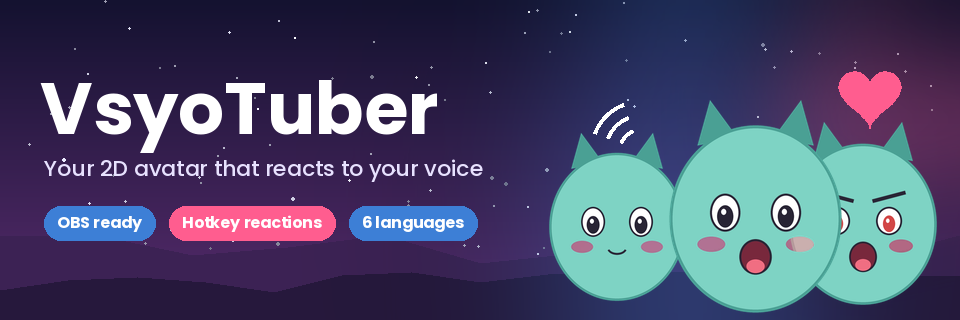
VsyoTuber
A downloadable VTuber app for Windows
Hi, I'm Sagharth, the creator of VsyoTuber.
My focus is simple: VsyoTuber should have what no other app of its kind has. I don't want to make "just another one", but the tool I wish I'd had when I started streaming.
That's why, for now, every purchase is split like this: 70% goes to developing and improving the app (starting with the code-signing certificate) and 30% goes to the creator. Yes, that 30% is for food: I still haven't figured out how to live on lines of code, and coffee alone doesn't count as lunch.
My goal is for VsyoTuber to become a reference for VTuber apps. Every comment, idea or bug report gets read and helps decide what comes in the next update. Thank you for reading and for giving VsyoTuber a chance.
Sagharth.
Coming in Version 0.8.0! We're currently working on adding GIF support for both reactions and avatar layers.
This feature will be available in the upcoming v0.8.0 update, bringing more dynamic and expressive animations to your avatars!
Stay tuned for more updates!
English
VsyoTuber turns your images into a 2D avatar that talks, blinks, shouts and reacts with you live. It's made for streamers and VTubers: it connects to OBS with a truly transparent background, no chroma key or window capture needed.
What you can do
Your character
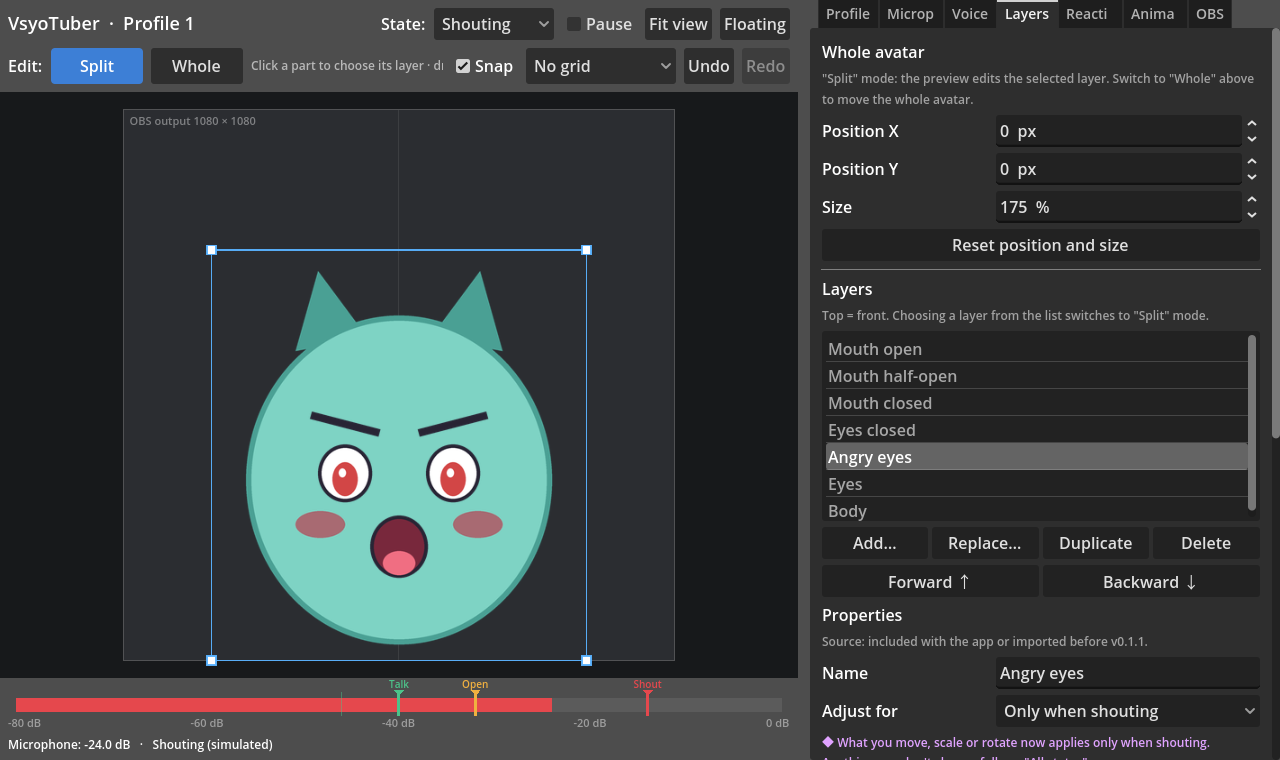
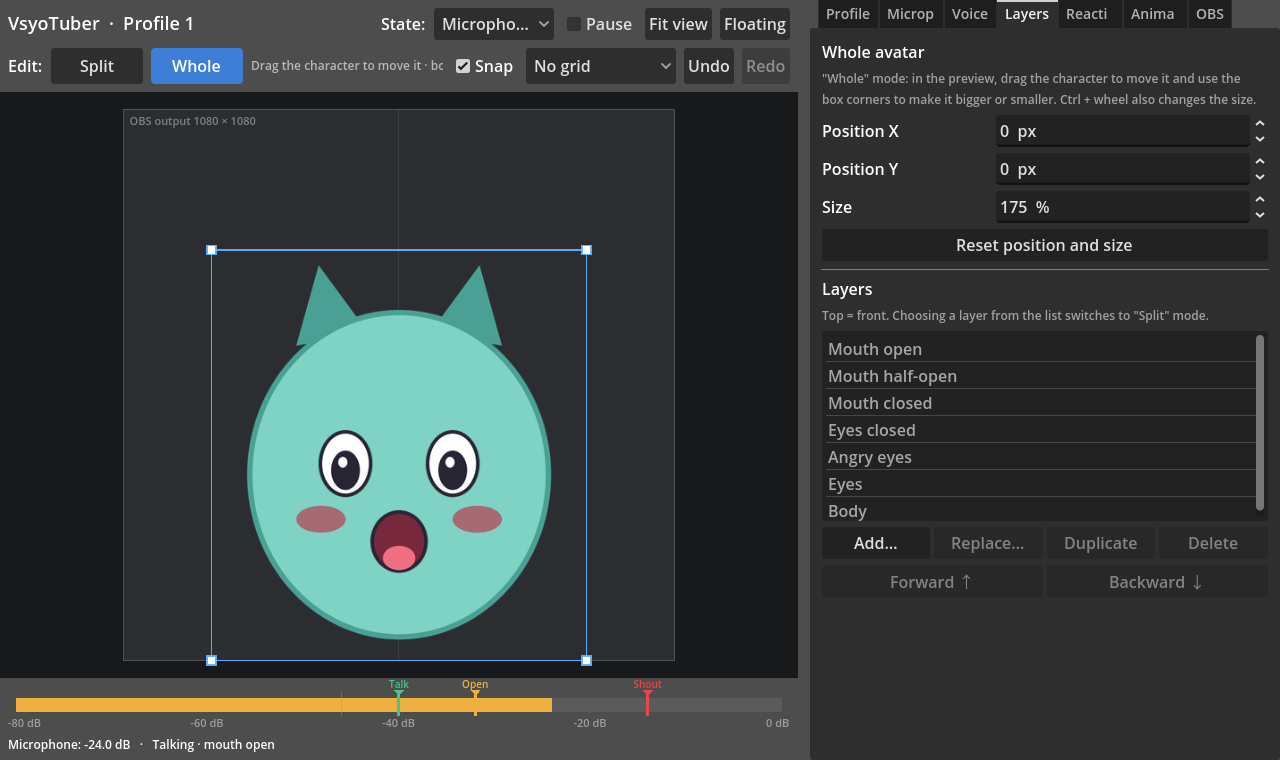
- Build your avatar from layers (body, eyes, mouth, accessories) or from one full image per state: idle, talking, blinking and shouting.
- Three mouth levels: closed, half-open and open, depending on how loud you talk.
- A shout/anger state that kicks in when you raise your voice, at the level you choose.
- Automatic blinking (single or double), bounce when talking, idle breathing and shake when shouting.
- Each layer can change position, size, rotation or opacity per state: for example, eyebrows higher when shouting.
- Visual editor with per-layer and whole-avatar modes, snapping to the center and the floor, a grid, and undo/redo (Ctrl+Z / Ctrl+Y).
Reactions
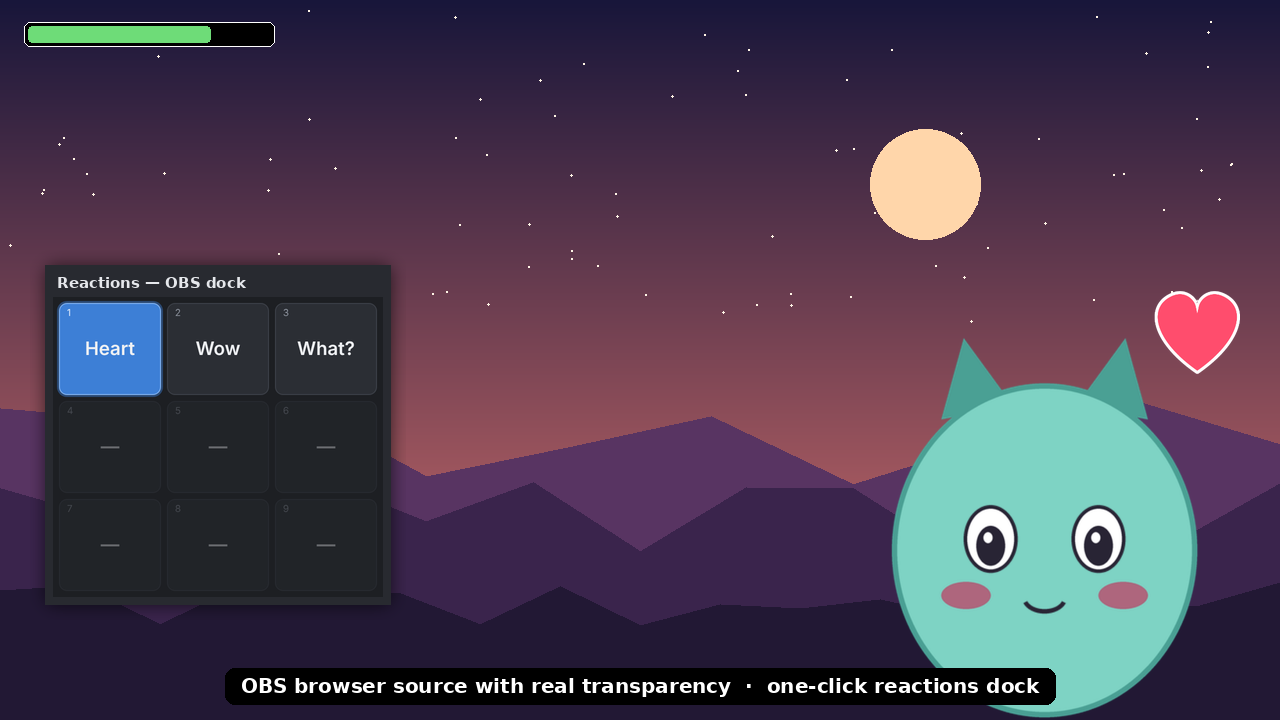
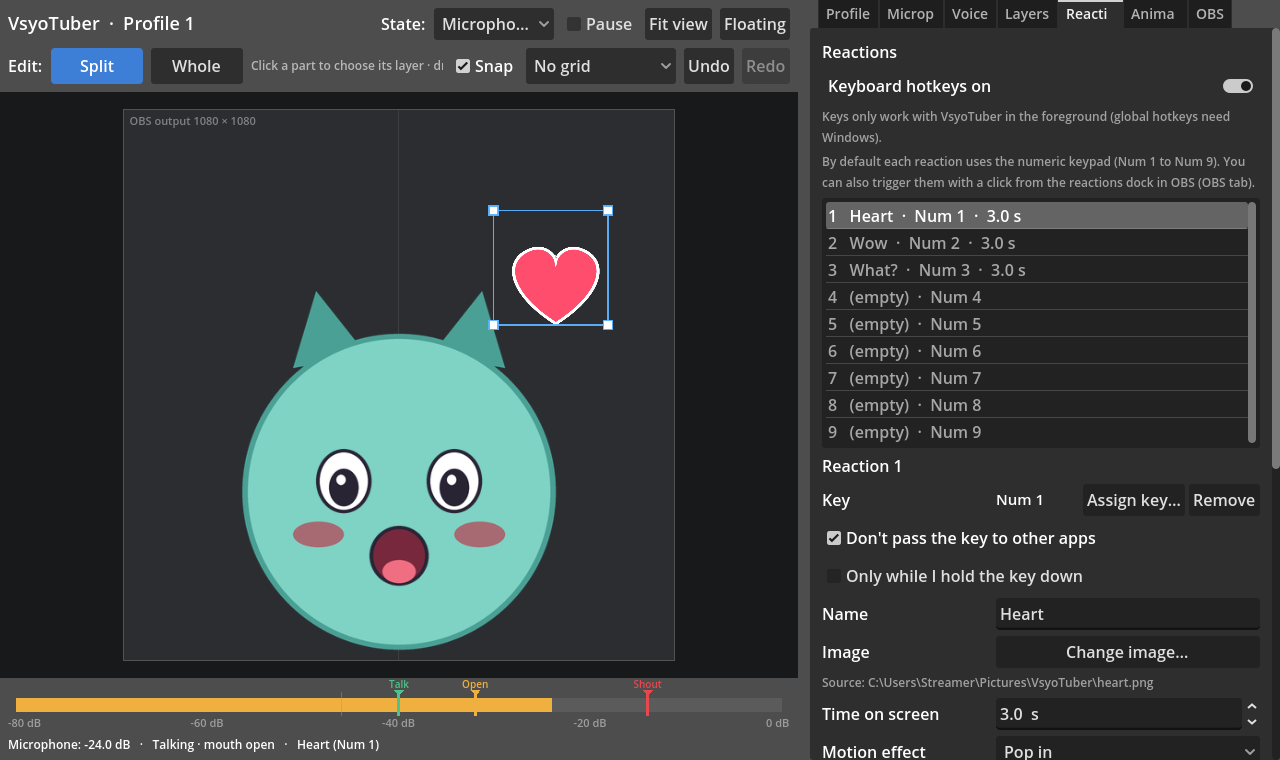
- 9 reactions with their own image, position, duration and motion effect (pop, fade, shake, float, jump, heartbeat or spin).
- Trigger them with the numeric keypad, any key or your mouse side buttons, even while you're in the game.
- They can hide parts of your character while active, to change the face.
- A 9-button dock inside OBS: one click and the reaction appears.
Microphone and voice
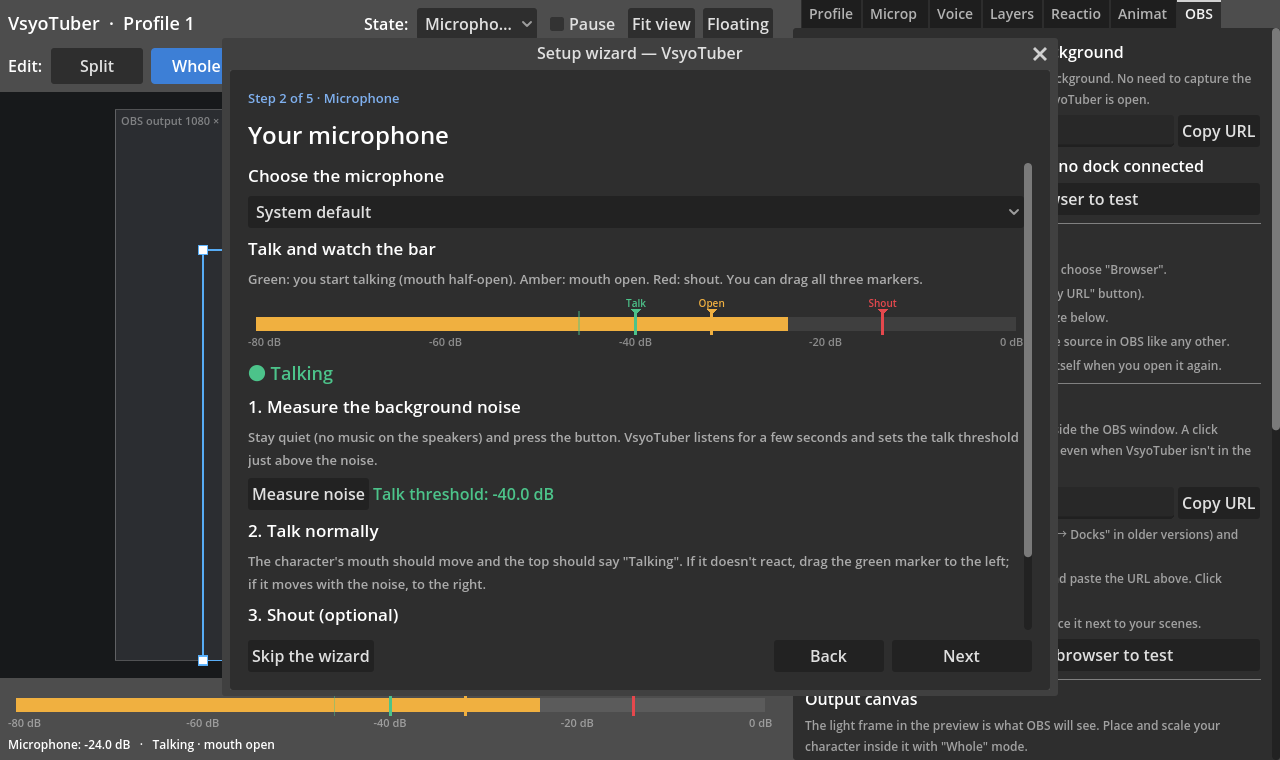
- Automatic background-noise calibration when the microphone turns on and every few minutes.
- Live meter with three draggable markers: talk, mouth open and shout.
- Warns you if you picked an input that carries the PC sound instead of your voice.
For streaming
- OBS browser source with a truly transparent background and any canvas size (square, landscape or portrait).
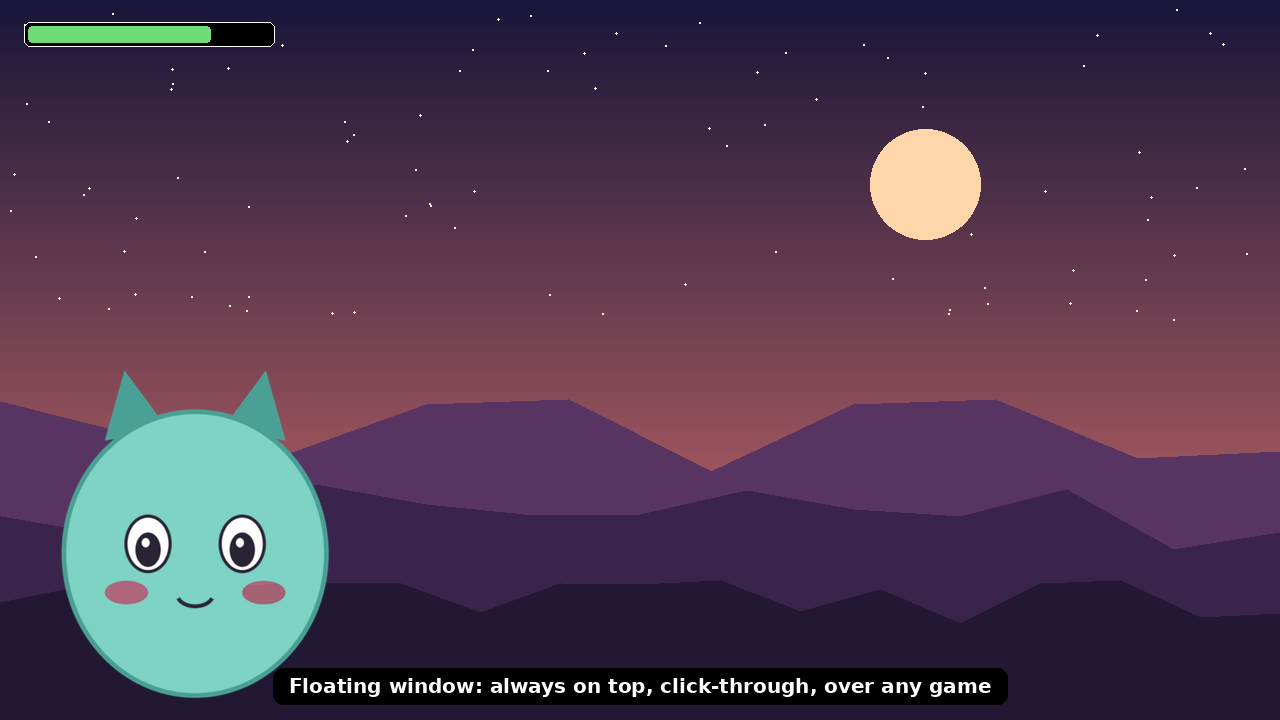
- Borderless floating window, always on top and click-through, to keep your character over the game or share it on Discord.
- Profiles for several characters, and
.vsyobackups you can take to another PC. - A setup wizard that gets you ready in minutes: microphone, images and OBS.
- Available in Spanish, English, German, Portuguese (Brazil), Japanese and Simplified Chinese.
- Private: everything runs on your PC, no account, no internet and no data sent anywhere.
Updates based on your feedback
VsyoTuber is in active development and will keep improving based on user feedback. If something doesn't work on your PC or you have an idea, leave it in the comments on this page or write to saghartczn@gmail.com. Updates are free for everyone who has bought it.
About code signing
Buying VsyoTuber's code-signing certificate is in progress. It hasn't been possible yet for budget reasons, and it will be added in a future update. Until then, Windows may show "Windows protected your PC". To install, click "More info" → "Run anyway". This is common for independent tools. Your purchase also helps pay for that certificate.
Requirements
- Windows 10 or 11, 64-bit.
- A microphone.
- Your images as PNG or WebP with a transparent background (an example character is included to try it out).
- OBS Studio is optional: you can also use the floating window.
Español
VsyoTuber convierte tus imágenes en un avatar 2D que habla, parpadea, grita y reacciona contigo en vivo. Está hecho para streamers y VTubers: se conecta a OBS con fondo transparente real, sin croma ni captura de ventana.
Qué puedes hacer
Tu personaje
- Arma tu avatar por capas (cuerpo, ojos, boca, accesorios) o con una imagen completa por estado: reposo, hablando, parpadeo y grito.
- Boca en tres niveles: cerrada, entreabierta y abierta, según qué tan fuerte hablas.
- Estado de grito o enojo que se activa al subir la voz, con el nivel que tú elijas.
- Parpadeo automático (simple o doble), rebote al hablar, respiración en reposo y sacudida al gritar.
- Cada capa puede cambiar de posición, tamaño, giro u opacidad según el estado: por ejemplo, las cejas más arriba al gritar.
- Editor visual con modo por capa o del avatar completo, imán que pega al centro y al suelo, cuadrícula y deshacer/rehacer (Ctrl+Z / Ctrl+Y).
Reacciones
- 9 reacciones con imagen, posición, duración y efecto de movimiento (rebote, aparecer suave, sacudida, flotar, saltar, latido o girar).
- Se disparan con el teclado numérico, con cualquier tecla o con los botones laterales del mouse, aunque estés dentro del juego.
- Pueden ocultar partes del personaje mientras están activas, para cambiar la cara.
- Panel de 9 botones dentro de OBS: un clic y la reacción aparece.
Micrófono y voz
- Calibración automática del ruido de fondo al encender el micrófono y cada cierto tiempo.
- Medidor en vivo con tres marcas que puedes arrastrar: habla, boca abierta y grito.
- Avisa si elegiste una entrada que lleva el sonido del PC en vez de tu voz.
Para transmitir
- Fuente de navegador para OBS con fondo transparente real y lienzo del tamaño que quieras (cuadrado, horizontal o vertical).
- Ventana flotante sin bordes, siempre visible y «atravesable» por el mouse, para tener el personaje sobre el juego o compartirlo en Discord.
- Perfiles para varios personajes y respaldos
.vsyoque se pueden llevar a otro PC. - Asistente de inicio que te deja listo en minutos: micrófono, imágenes y OBS.
- Disponible en español, inglés, alemán, portugués (Brasil), japonés y chino simplificado.
- Privado: todo funciona en tu PC, sin cuenta, sin internet y sin enviar datos.
Actualizaciones según tu opinión
VsyoTuber está en desarrollo activo y se irá actualizando según los comentarios de quienes lo usan. Si algo no funciona en tu PC o se te ocurre una mejora, escríbela en los comentarios de esta página o a saghartczn@gmail.com. Las actualizaciones son gratis para quienes ya compraron.
Sobre la firma digital
La firma digital de VsyoTuber está en proceso de compra. Por ahora no se ha podido adquirir por un tema económico, y se agregará en una próxima actualización. Mientras tanto, Windows puede mostrar el aviso «Windows protegió su PC». Para instalar, pulsa «Más información» → «Ejecutar de todas formas». Es habitual en herramientas independientes. Tu compra también ayuda a costear esa firma.
Requisitos
- Windows 10 u 11 de 64 bits.
- Un micrófono.
- Tus imágenes en PNG o WebP con fondo transparente (incluye un personaje de ejemplo para probar).
- OBS Studio es opcional: también puedes usar la ventana flotante.
Terms of use and license
Last updated: October 12, 2026. By installing or using VsyoTuber you accept these terms.
- License. Buying VsyoTuber gives you a personal, non-exclusive, non-transferable license to install and use it on the computers you use. You may use it in streams, videos and commercial content (for example, monetized streams) at no extra cost.
- Not allowed. Reselling, redistributing or sharing the installer or the app files, posting them on other sites, or decompiling, decrypting or modifying the program, except where the law expressly allows it.
- Ownership. VsyoTuber, its code, design and name belong to [owner name]. Your purchase grants the right to use the app, not ownership of it.
- Your content. The images, avatars and settings you create or load are yours. You are responsible for having the rights to use them (for example, permission from the artist who drew your model). The included example character may be used freely to try the app.
- Updates. Updates released for this version are free for buyers. They may add, change or remove features based on user feedback.
- No warranty. VsyoTuber is provided "as is". Every effort is made for it to work well, but it is not guaranteed to work without errors on every computer or with every program (games, OBS, anti-cheat software, audio drivers).
- Liability. To the extent allowed by law, total liability for any damage related to the app is limited to the amount you paid for it.
- Code signing. While the app has no code-signing certificate, Windows may show a warning when installing it. This does not indicate a problem with the app; signing will be added in a future update.
- Termination. If you breach these terms, the license ends and you must uninstall the app.
- Governing law. These terms are governed by the laws of Chile, without prejudice to the rights your local consumer protection law gives you.
- Contact. saghartczn@gmail.com.
Privacy policy
VsyoTuber does not collect, store on servers or send any personal data. Everything runs on your computer, with no account and no internet connection.
- Microphone: audio is analyzed in real time only to tell whether you are talking or shouting. It is never recorded or sent anywhere.
- Keyboard and mouse: the app only detects whether the keys or buttons you assigned to reactions are pressed. It does not log what you type or send it anywhere.
- Your files: your profiles, images and settings are stored only on your PC, in
%APPDATA%\VsyoTuber. You can delete them at any time; the uninstaller asks whether to do so. - OBS connection: the app opens a local server that only answers your own PC (127.0.0.1) and is protected with a private key. It cannot be reached from the internet or from other devices on your network.
- Diagnostic log: the app keeps a
logs\app.logfile in the same folder to help solve problems. It contains technical messages, never audio or keystrokes, and is only sent if you choose to attach it to a support email. - Purchase: payment is processed by itch.io. Purchase data is governed by itch.io's privacy policy.
- Support: if you write to saghartczn@gmail.com, your address and what you send are used only to reply to you.
If a future feature ever needs a connection or data (for example, update notifications), it will be announced here first and can be turned off.
Refund policy
If VsyoTuber doesn't work on your PC, you have 14 days from purchase to request a full refund.
- Write to saghartczn@gmail.com with the email of your itch.io purchase and a short description of the problem. If you can, attach
%APPDATA%\VsyoTuber\logs\app.log. - We'll first try to solve the problem with you. If it can't be solved, the refund is made through itch.io, to the same payment method.
- After 14 days, or if the app works correctly, refunds are at the developer's discretion, except where your local law requires otherwise.
This does not limit the rights your local consumer protection law gives you.
Purchase
In order to download this VTuber app you must purchase it at or above the minimum price of $10 USD. You will get access to the following files:
Leave a comment
Log in with itch.io to leave a comment.